

- LEARN MORE ABOUT SPECIAL EDITIONS
- CLICK HERE
Aug 17, 2021
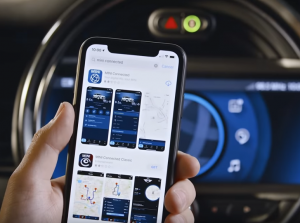
Our all-in-one app helps you avoid traffic, share arrival times, remotely lock and unlock your door, and more right from your phone.
Learn how to connect your MINI to the MINI Connected App in several simple steps.
Download the app from Apple’s App Store or Google’s Play Store. Install the app, login or create a new account for MINI Connected. Add a vehicle by entering the Vehicle Identification Number. Transfer it automatically via USB, or enter it manually. After entering the VIN, a verifying code will be sent to the vehicle, locate it under ‘MINI CONNECTED’ and then ‘MINI MESSAGES’. After entering the code it could take a while before your MINI is confirmed. Press ‘Enable’ and you’re good to go!
Connect with us


Recent Blog Entries
- Keeping the Iconic MINI Alive: A Guide to Effective Maintenance
- Embracing the Future: Mastering Voice Commands in Your MINI
- Why Buy MINI Certified Pre-Owned from MINI of Montgomery County
- Routine Maintenance from MINI of Montgomery County Keeps Your Vehicle Performing at Its Best
- Experience the Future of Driving with MINI of Montgomery County’s Special Offer: Lease the NEW 2024 MINI Electric for $369/Month for 36 Months!
